The edit texts only feature can be accessed from the link located in the Content section of the survey admin screen. This feature allows for editing of text in running surveys even when respondents are present. It also provides for a nice overview of all visible text in the survey, texts that are otherwise hidden as validators or texts within matrix cells and essay fields. This overview makes spelling mistakes and text ambiguities much easier to spot as well as allowing for an easy and quick way of editing text only.
The screen lists all visible texts in the survey. Edit the fields and click save and the edited texts will replace the old texts values. This feature is meant for editing of text only, hence no fields can be left empty. Use the survey attributes screen and question editing features when setting attributes options or changing the structure of the survey.
The first part lists all the survey attributes that contains visible text. This includes heading, title, buttons, messages etc.
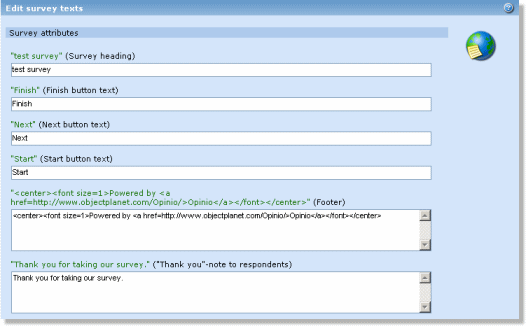 |
Each section is listed with all its questions. The question area lists visible text within a question, such as the question text, answer labels and validators.
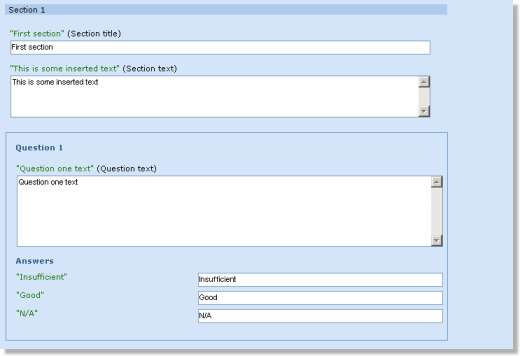 |
When editing text, it is important to note:
- Keep the Html tags from the original text in the edit field to achieve the same look.
- Survey is not automatically locked when entering the edit texts only screen. This is convenient when a survey is running and the user wants to avoid locking the survey for respondents while editing texts. But if survey gets locked while editing is in progress, the user will not be able to save if survey is still locked at the time of saving or if survey has changed.