Adding permissions is done through a wizard of 2 or more screens.
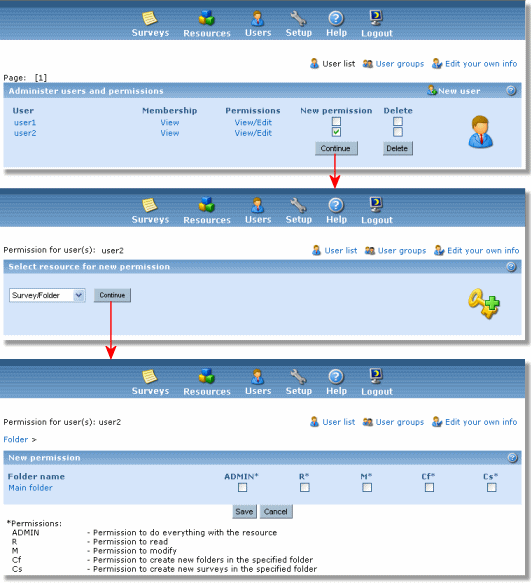
The steps are:
- Select the user(s) to which you are adding the permission. If you are viewing details on a user, and click on "add permission" you have already selected a user. If you are viewing the user list, you can select one or more users and click "continue".
- Select the resource type you want to apply the permission to. Click on "continue".
- Select the permission(s) to add for the user(s)/resource. Click on save.