Create a survey in these easy steps:
- From the current folder, click on “new survey”.
- Specify general information about your survey, like title, description, general user input fields, background color, text color, user/password for editing survey.
- Add the questions to the survey.
When the questions are created, you can publish your survey. It is a good idea to preview your survey first, and respond to it yourself, to make sure it looks and works the way you expect. There are a number of ways to tweak your survey to make it look exactly like you want, as described throughout this chapter.
The survey admin screen gives you access to all survey features. You can control how your survey looks, when it is being published, who should respond, etc.
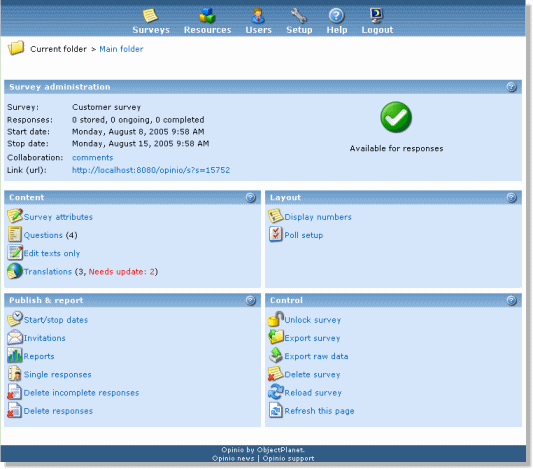
Note: A newly created survey is by default set to open from the current time (now), and close a week from now. To change this, set the start and stop dates.