Two reports are automatically generated the moment a survey is created: Summary report and comment report. They can be viewed by selecting reports from the survey admin screen.
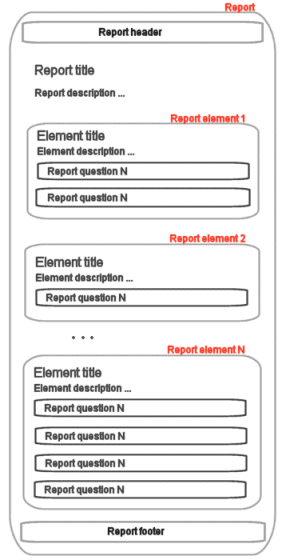
Reports are composed of one or more report elements. Each element may contain report data for one or more questions. This allows for a very flexible way to construct your report. The default summary report, for example, contains a report with one element, and includes a summary report for each question in the survey. But you can, if you wish, create a report for only one question, or a report with several different views/summaries for one single question. This is done by creating several elements, and selecting the same question for each element. Then you can vary with different chart-type for each element, for example.
The layout of the report: