
Network Probe - network monitor and protocol analyzer

Click here to download Network Probe
Do you know what's really traveling through your network? Are you having problems finding the sources of network slowdowns?
Network Probe is the ultimate network monitor and protocol analyzer to monitor network traffic in real-time, and will help you find the sources of any network slow-downs in a matter of seconds.
Collect and analyze data from multiple probes using the Network Probe Enterprise version for a total traffic overview of all your networks.
What? Who? Where?
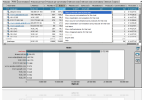
Network Probe will show you which protocols are being used on your network, which hosts are sending and receiving data, where the traffic is coming from, and when all this happens.
Network Summary
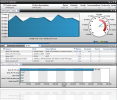
Instantly get an overview of the throughput of the network being monitored and the number of hosts, conversations, and protocols seen on the network.
Top Activity
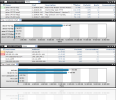
Network Probe will quickly give you an overview of the most active protocols, talkers, listeners, hosts, and conversations on you network.
Proactive Alarms
Configure Network Probe to notify you if anything out of the ordinary happens and proactively fix the problem before it grows into a serious one.
Searching and Filtering
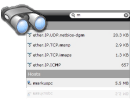
Quickly search for any host, protocol, or conversation. Just start typing in the search field and Network Probe will suggest entries found on your network.
Selected Display
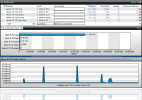
Configure Network Probe to monitor your own selection of protocols, hosts, and conversations to keep a watchful eye on activity important on your network.