To create, edit, delete and change access rights to non-admin users. These features are accessible by clicking "users" from the main menu.
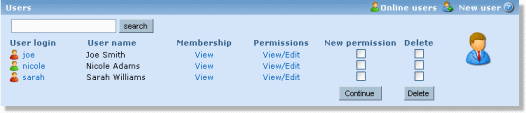
There are two different user list views. "All users" view lists all existing users with symbols indicating whether they are online at the moment or not and the "online" view lists only the online users. Only users you have administration access to are shown. It is also possible to make a search using login name, user name or a substring of these.